A deep dive into the battle for XR input. We define when to use hardware, when to go hands-free, and the significant design hurdles of removing physical feedback.
The moment a user puts on a VR or MR headset, the world transforms. But the illusion of this new reality hangs by a thread, sustained only by how convincingly they can interact with it. If the visual fidelity is photo-realistic, but trying to pick up a virtual coffee cup feels like operating a claw machine, the immersion shatters.
For years, the tracked controller has been the trusty conduit between human intent and digital action. But the rapid maturation of optical hand tracking is challenging that dominance, promising a future where our bare hands are the only interface we need.
For XR designers and developers, the choice isn’t simple. It’s no longer just about what’s technically possible; it’s about what’s experientially appropriate.
The Incumbent: The Enduring Power of Controllers
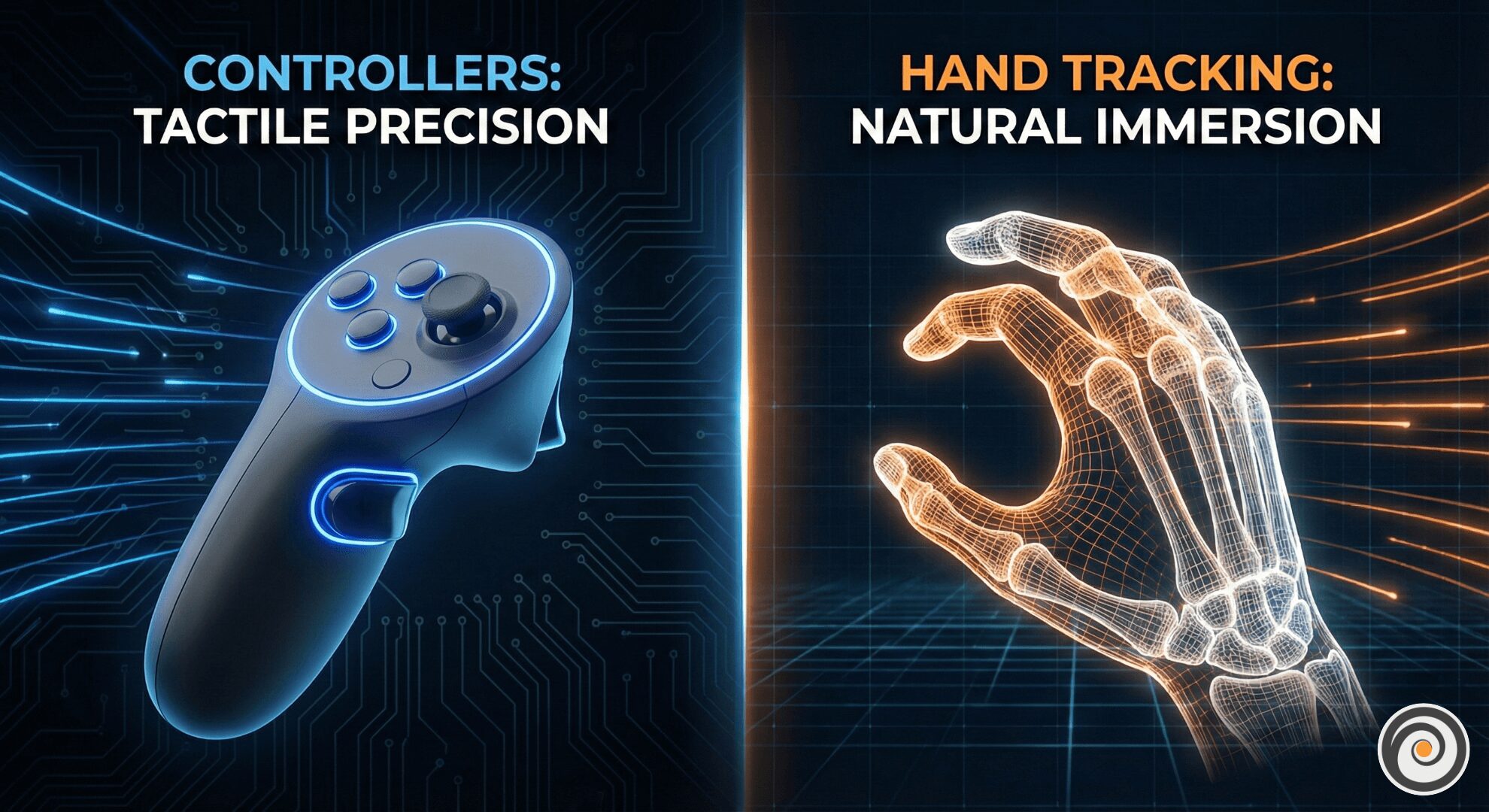
Controllers are not just legacy hardware; they are highly evolved tools designed to solve specific problems in 3D space. They remain the gold standard for many applications for a few irrefutable reasons.
1. The Haptic Feedback Loop
The single biggest advantage of a controller is kinetic feedback. When you fire a virtual gun, you feel the recoil rumble. When you pull a bowstring, the trigger provides resistance. When you touch a virtual wall, a sharp vibration confirms the collision. Our brains rely heavily on touch to confirm reality. Without haptics, interacting with virtual objects feels like “pushing air.”
2. Precision, Speed, and Reliability
For twitch-reflex gaming (like Beat Saber or competitive shooters) where milliseconds matter, the slight latency or occasional jitter of hand tracking is unacceptable. Furthermore, physical buttons offer binary certainty: you either pressed “A” or you didn’t. There is no ambiguity.
The Challenger: The Magic of Hand Tracking
Hand tracking represents the dream of “zero-friction” computing. It removes the barrier of hardware between the user and the experience.
1. Intuitive Low Barrier to Entry
Hand tracking is democratizing XR. For non-gamers, picking up a controller with triggers, grip buttons, and thumbsticks is intimidating. Everyone, however, knows how to use their hands. The act of reaching out to grab a virtual object lowers the cognitive load for onboarding new users.
2. Deep Social Presence
Controllers are terrible at conveying emotion. In social VR, controller users often look stiff, their hands locked in a permanent grip. Hand tracking allows for nuanced gesticulation—pointing, waving, giving a thumbs-up—which significantly deepens the sense of social presence.
The Decision Framework: When to Use Which?
The choice between hands and controllers depends entirely on the primary intent of the user experience. Use this chart as your quick reference guide:
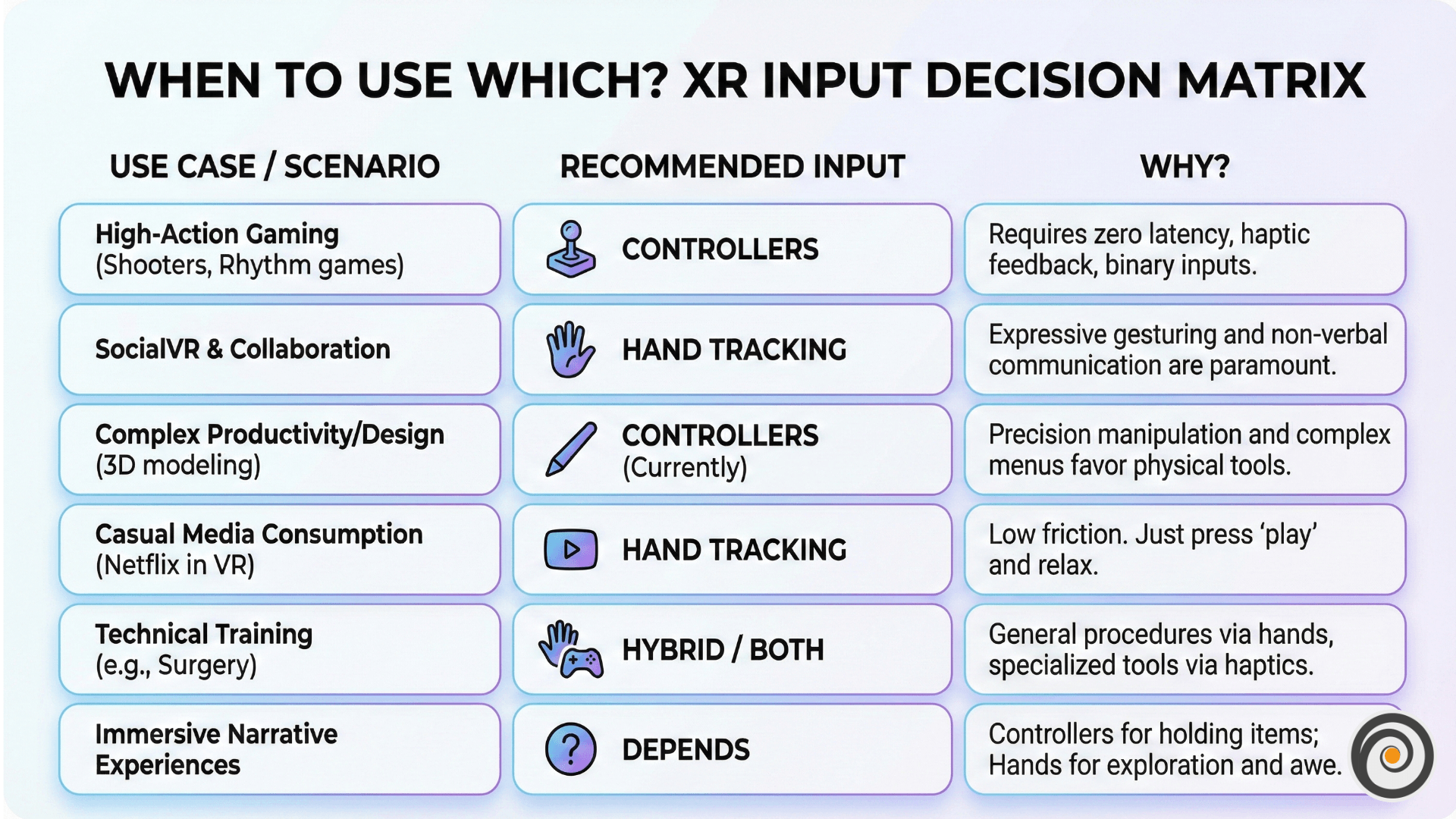
Key Takeaway: If the experience relies on tool use (guns, scalpels, rackets), use controllers. If the experience relies on expression or exploration, lean toward hand tracking.
The Hard Truths: Design Challenges of Controller-Free Interaction
Many designers assume hand tracking is the ultimate goal and that controllers are just a stop-gap. This is a mistake. Designing for hands introduces unique, difficult challenges that require entirely new interaction paradigms.
1. The “Gorilla Arm” Fatigue Factor
One of the most overlooked aspects of spatial design is human physiology. Interacting with mid-air interfaces is physically tiring. Holding your arms up without support to manipulate a floating UI leads to rapid shoulder fatigue, known in the industry as “Gorilla Arm.”
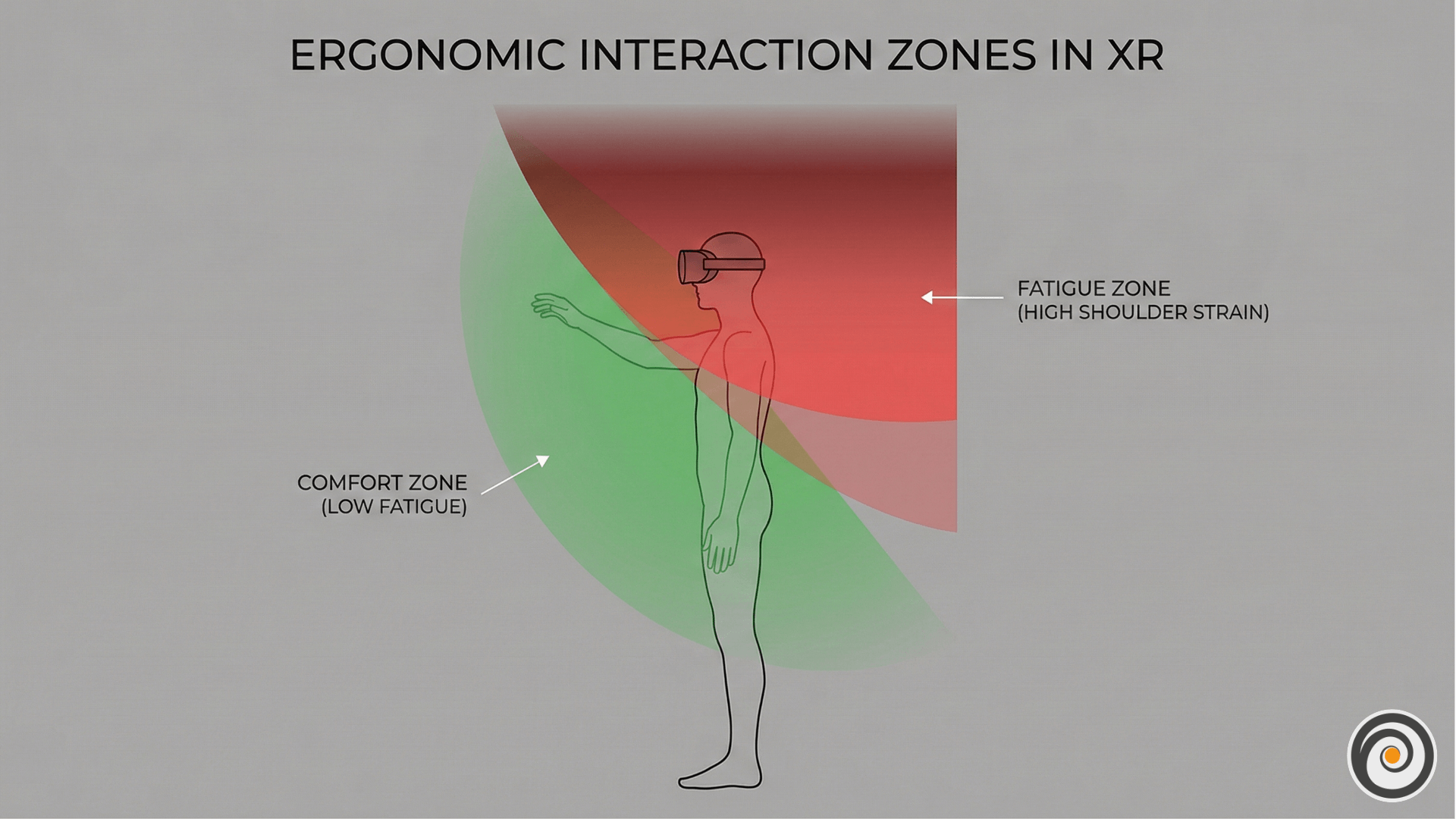
- The Design Fix: Do not design Minority Report style interfaces where users must hold their arms up for long periods. Use Indirect Interaction (laser pointers from the hip or wrist flicks) to allow users to keep their elbows tucked comfortably by their sides.
2. Occlusion and Camera Blind Spots
Cameras cannot see through solid objects. If one hand crosses over the other, or if the user puts their hand behind their back, the tracking breaks instantly.
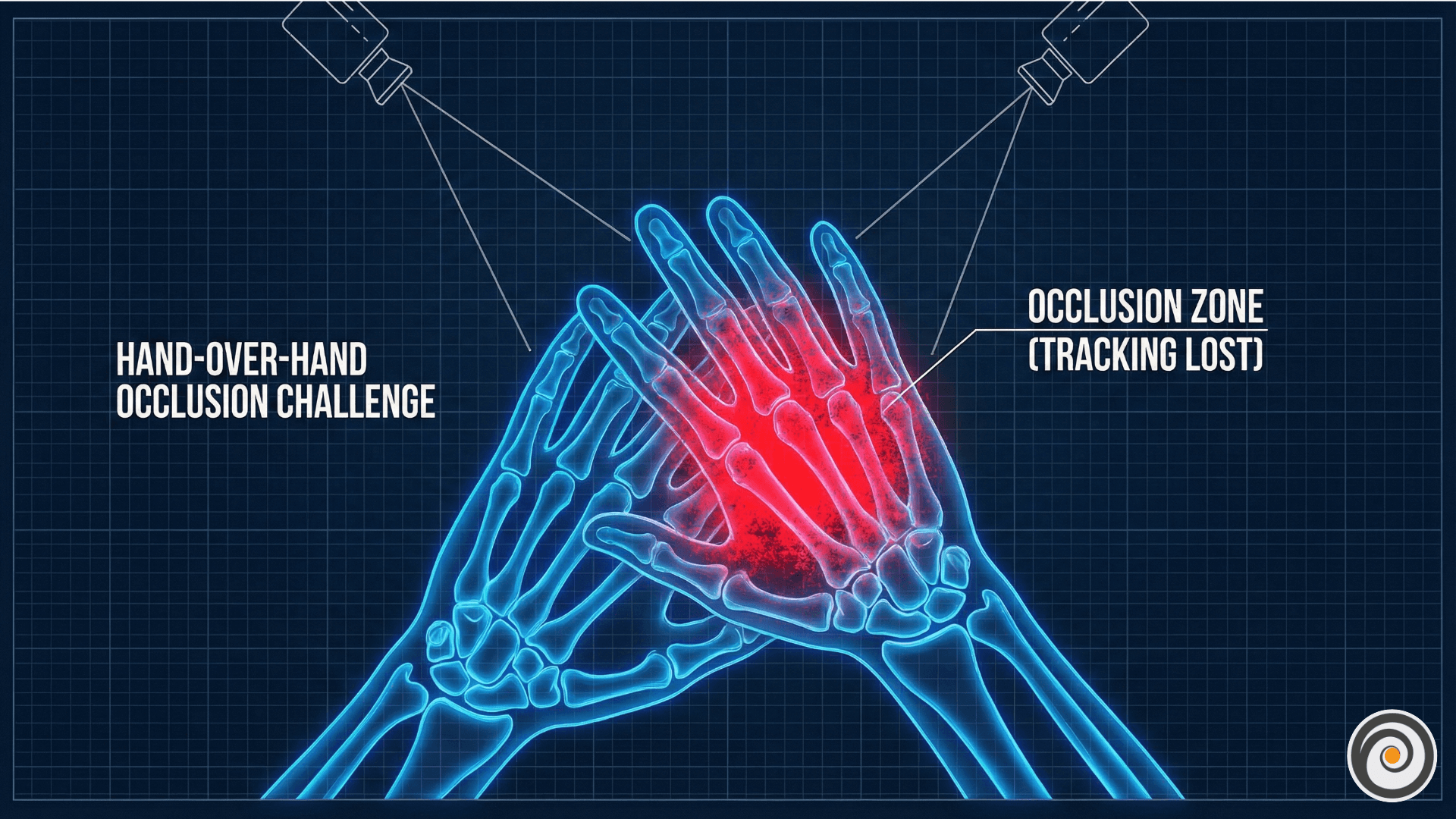
- The Design Fix: Design interactions that encourage keeping hands visible and separated. Avoid requiring two-handed cross-body gestures (like crossing arms to reload). When tracking is lost, gracefully fade the hands out rather than having them glitch or snap away.
3. The “Missing Haptics” Dilemma
Without physical resistance, how does a user know they’ve successfully pressed a virtual button?
- The Design Fix: You must heavily compensate with multi-sensory feedback. Use distinct audio cues (clicks, hums) for hovering and selecting. Visually, objects must react before they are touched—buttons should glow when a finger approaches (hover state) and compress visually when “pressed.”
Conclusion: The Future is Hybrid
The debate isn’t about whether hand tracking will replace controllers. It’s about understanding that they are distinct tools for distinct jobs.
We are heading toward a hybrid future. The ideal XR system will seamlessly switch contexts. It will use hand tracking when you are browsing a menu or chatting with a friend, but the moment you pick up a physical prop, the system recognizes the tool and provides the necessary precision.
For now, designers must respect the limitations of bare hands. Don’t try to force controller-based mechanics onto hand tracking. Instead, lean into the strengths of hands: natural grasping, expressive gestures, and the magic of touching a digital world with your own skin.